Implementing AABB Collision Detection in SDL3
Learn how to implement Axis-Aligned Bounding Box (AABB) collision detection in SDL3. This tutorial covers the logic, code example, and integration in a 2D game environment.
- SDL3

The AABB function
This is the main function for the AABB collision detection algorithm.
This function checks if two rectangles (represented as SDL_FRect) overlap in 2D space using Axis-Aligned Bounding Box (AABB) collision detection. The rectangles are axis-aligned, meaning they are not rotated — their edges are parallel to the X and Y axes.
bool AABB(const SDL_FRect& a, const SDL_FRect& b) {
    return a.x < b.x + b.w &&
           a.x + a.w > b.x &&
           a.y < b.y + b.h &&
           a.y + a.h > b.y;
}
Parameters of AABB function
a and b are two rectangles, each defined by:
x,y: Top-left corner positionw,h: Width and height
Return Value of AABB function
- Returns
trueif the rectangles intersect (i.e. they are colliding) - Returns
falseotherwise
How It Works (Condition by Condition)
a.x < b.x + b.w→ The left edge of a is to the left of the right edge of b
a.x + a.w > b.x→ The right edge of a is to the right of the left edge of b
a.y < b.y + b.h→ The top edge of a is above the bottom edge of b
a.y + a.h > b.y→ The bottom edge of a is below the top edge of b
All four conditions must be true for the rectangles to overlap.
The main function
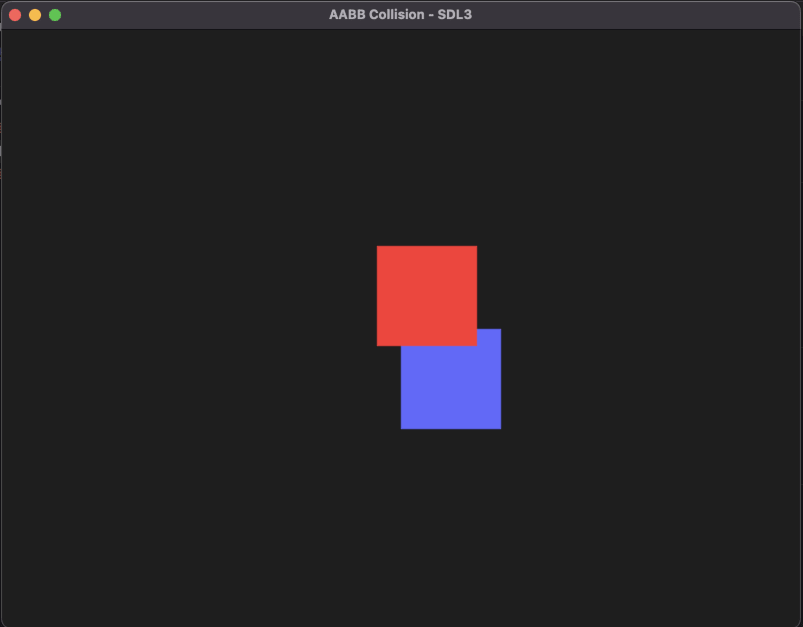
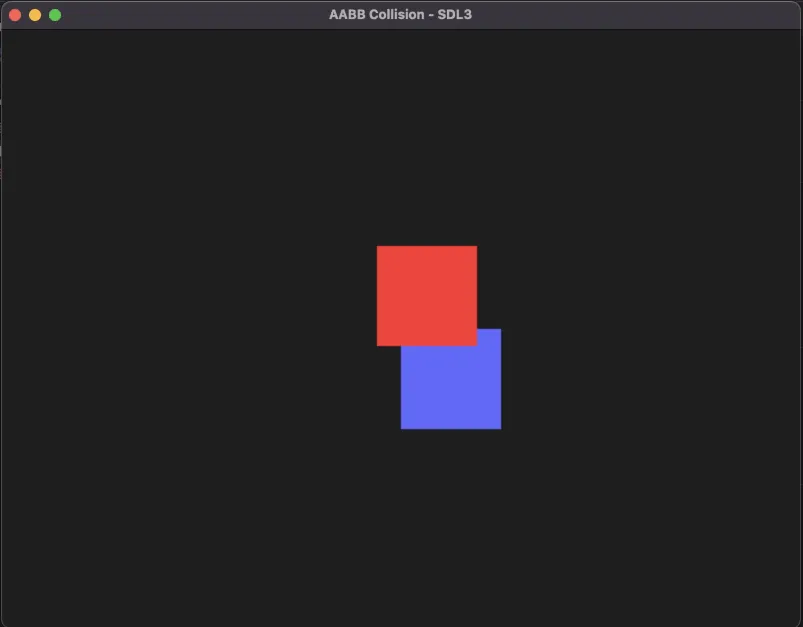
The goal is to write a program that moves a green square and changes colors to red when colliding with another square. For that we will use the AABB collision detection function previously defined.
Initializations
Window and renderer
SDL_Init(SDL_INIT_VIDEO);
SDL_Window* window = SDL_CreateWindow("AABB Collision - SDL3", 800, 600, SDL_WINDOW_RESIZABLE);
SDL_Renderer* renderer = SDL_CreateRenderer(window, nullptr);

if (!window || !renderer) {
    std::cerr << "Window/Renderer creation failed: " << SDL_GetError() << "\n";
    SDL_Quit();
    return 1;
}
Player and box
SDL_FRect player = { 100, 100, 100, 100 };
SDL_FRect box = { 400, 300, 100, 100 };
Speed and last time variable
float speed = 200.0f;
Uint64 lastTime = SDL_GetTicks();
The main loop
The time elapsed: delta time
Uint64 currentTime = SDL_GetTicks();
float delta = (currentTime - lastTime) / 1000.0f;
lastTime = currentTime;
The event loop
The event loop contains only the quit event.
while (SDL_PollEvent(&event)) {
    if (event.type == SDL_EVENT_QUIT)
        running = false;
}
Player inputs
const bool* keys = SDL_GetKeyboardState(nullptr);

if (keys[SDL_SCANCODE_LEFT])  player.x -= speed * delta;
if (keys[SDL_SCANCODE_RIGHT]) player.x += speed * delta;
if (keys[SDL_SCANCODE_UP])    player.y -= speed * delta;
if (keys[SDL_SCANCODE_DOWN])  player.y += speed * delta;
The AABB function call
bool collides = AABB(player, box);The rendering
Clear the screen
SDL_SetRenderDrawColor(renderer, 30, 30, 30, 255);
SDL_RenderClear(renderer);
The box
SDL_SetRenderDrawColor(renderer, 100, 100, 255, 255); // static box
SDL_RenderFillRect(renderer, &box);
The player
The player changes colors if it’s colliding with the box:
if (collides)
    SDL_SetRenderDrawColor(renderer, 255, 50, 50, 255); // red on collision
else
    SDL_SetRenderDrawColor(renderer, 50, 255, 50, 255); // green otherwise

SDL_RenderFillRect(renderer, &player);
Download the full project : Implementing AABB Collision Detection in SDL3
- For macOS:
SDL3_AABBCollision_mac.7z - For Windows:
SDL3_AABBCollision_win.7z - For Linux:
SDL3_AABBCollision_linux.7z