Build SDL3 Static Libraries on Windows with CMake and Visual Studio
In this free tutorial, you'll learn how to build static libraries for SDL3, SDL3_image, and SDL3_ttf on Windows using CMake and Visual Studio.
- cmake, SDL3, SDL3_image, SDL3_ttf

Compile static build of SDL3
Download SDL3 and Cmake
The first step is to download the latest sources of SDL3, in my case the latest release is the 3.2.8 on Github
After downloading the sources you will need to compile it using CMake and Visual Studio, in my case I use Visual Studio 2022.
Compile SDL3 with CMake
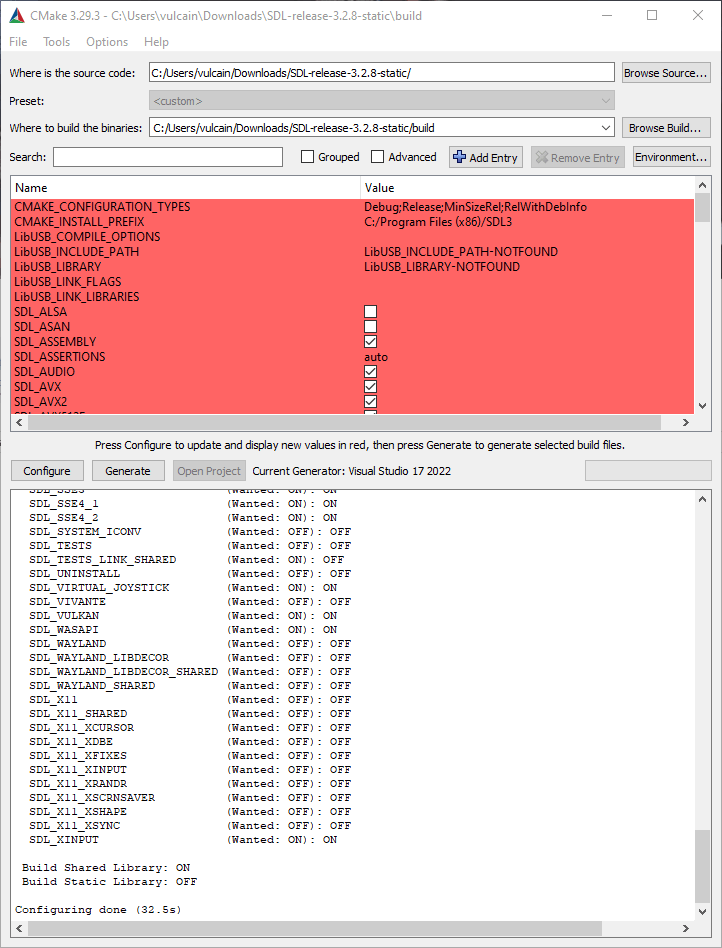
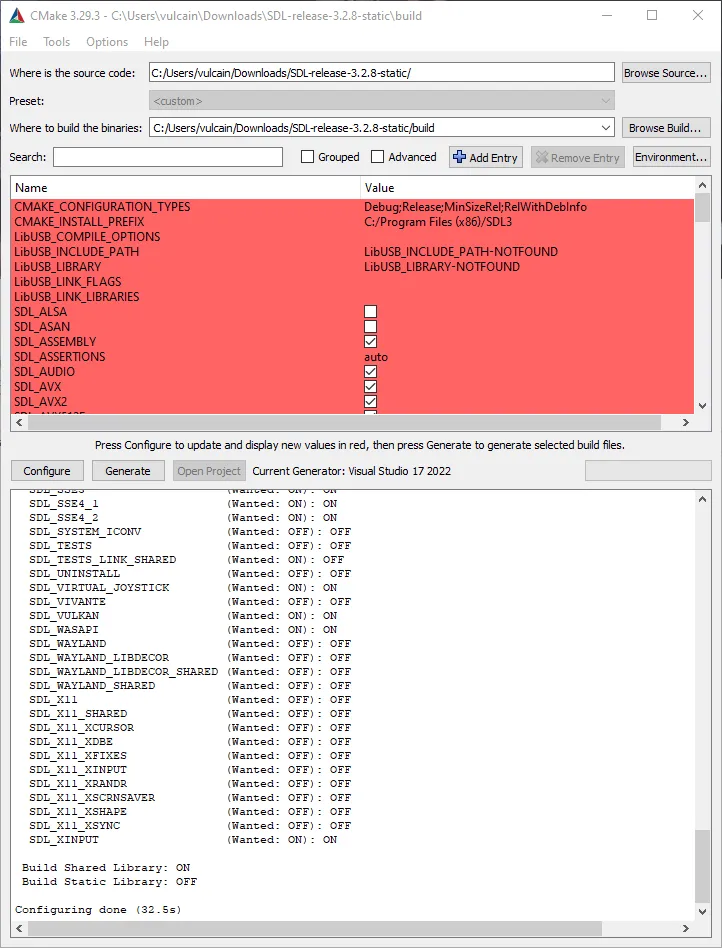
Unzip the archive and select the source at the base of the unzipped folder and for the destination create a new folder build:
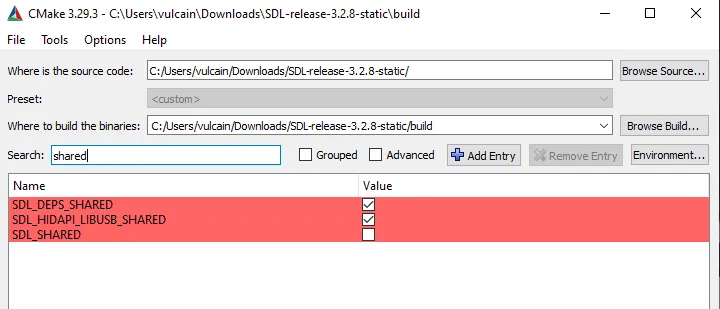
You need to uncheck SDL_SHARED and check SDL_STATIC like this:
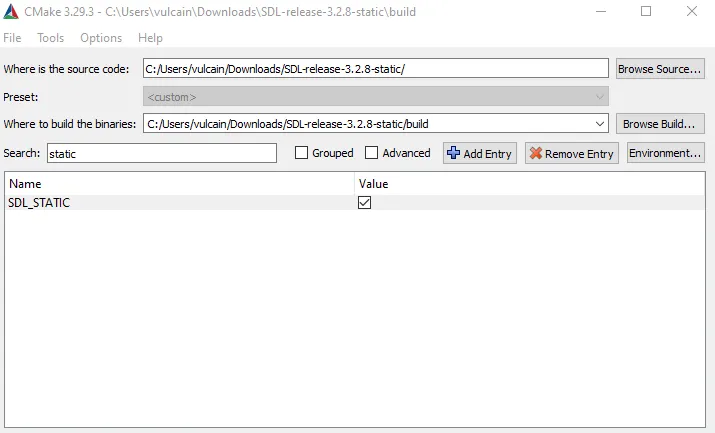
After that Click on Configure again and when the configuring is done you can generate the visual studio project. After all this you can click on Open Project, visual studio should launch.
Select the SDL3-static and set it as a startup project then compile the project in Debug or Release you should obtain the lib files:
Create a sample project to verify SDL3
Create the CMakeList.txt
You can create the CMakeList file inside the folder with this in it :
cmake_minimum_required(VERSION 3.10)
project(HelloProject)

set(CMAKE_CXX_STANDARD 17)
set(CMAKE_CXX_STANDARD_REQUIRED True)

find_package(SDL3 REQUIRED)

add_executable(${PROJECT_NAME} main.cpp)
target_link_libraries(${PROJECT_NAME} PRIVATE SDL3::SDL3)
Create the main file
You need to create the main file next to the CmakeList file for testing the SDL3 static on windows:
#include <SDL3/SDL.h>
#include <iostream>

int main(int argc, char* argv[]) {
    SDL_Init(SDL_INIT_VIDEO);

    SDL_Window* win = SDL_CreateWindow("SDL3 Project", 640, 480, 0);
    if (win == nullptr) {
        std::cerr << "SDL_CreateWindow Error: " << SDL_GetError() << std::endl;
        SDL_Quit();
        return 1;
    }

    SDL_Renderer* ren = SDL_CreateRenderer(win, NULL);
    if (ren == nullptr) {
        std::cerr << "SDL_CreateRenderer Error: " << SDL_GetError() << std::endl;
        SDL_DestroyWindow(win);
        SDL_Quit();
        return 1;
    }

    SDL_Event e;
    bool quit = false;

    // Define a rectangle
    SDL_FRect greenSquare {270, 190, 100, 100};

    while (!quit) {
        while (SDL_PollEvent(&e)) {
            if (e.type == SDL_EVENT_QUIT) {
                quit = true;
            }
        }

        SDL_SetRenderDrawColor(ren, 0, 0, 0, 255); // Set render draw color to black
        SDL_RenderClear(ren); // Clear the renderer

        SDL_SetRenderDrawColor(ren, 0, 255, 0, 255); // Set render draw color to green
        SDL_RenderFillRect(ren, &greenSquare); // Render the rectangle

        SDL_RenderPresent(ren); // Render the screen
    }

    SDL_DestroyRenderer(ren);
    SDL_DestroyWindow(win);
    SDL_Quit();

    return 0;
}
Compile a static build of SDL3_image
Configure in CMake
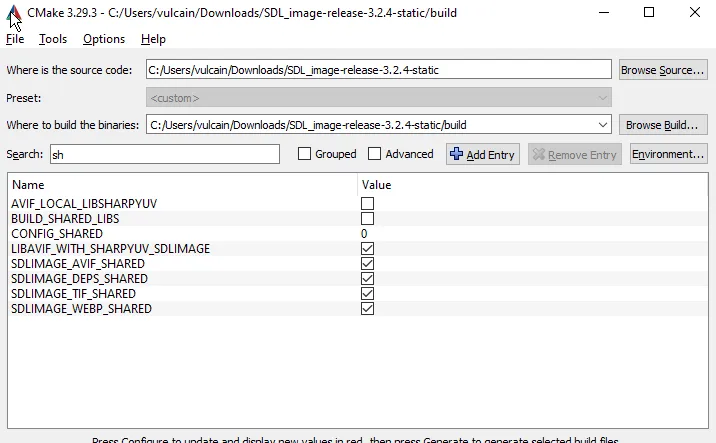
This is the same thing for SDL3_image static you need to disable the flag BUILD_SHARED_LIBS in CMake:
Compile with Visual Studio
After that you can generate SDL3_image and compile for Release and Debug:
Compile a static build of SDL3_ttf
Configure in CMake
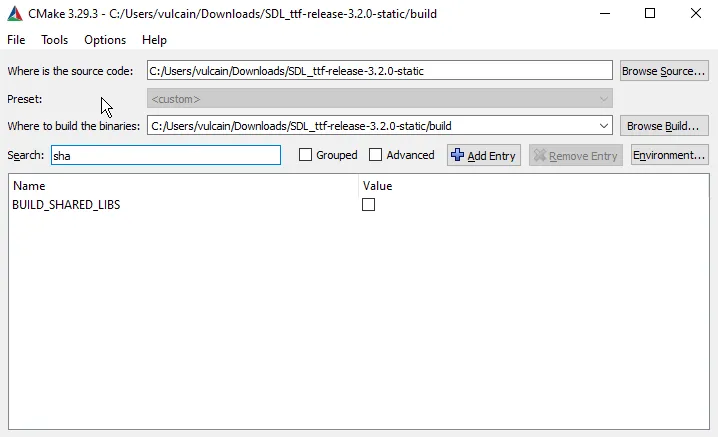
This is the same thing for SDL3_ttf static you need to disable the flag BUILD_SHARED_LIBS in CMake:
Compile with Visual Studio
After that you can generate SDL3_ttf and compile for Release and Debug:
The full project : SDL3 static on windows
You can download the full project: SDL3_HelloProject_static_win.7z