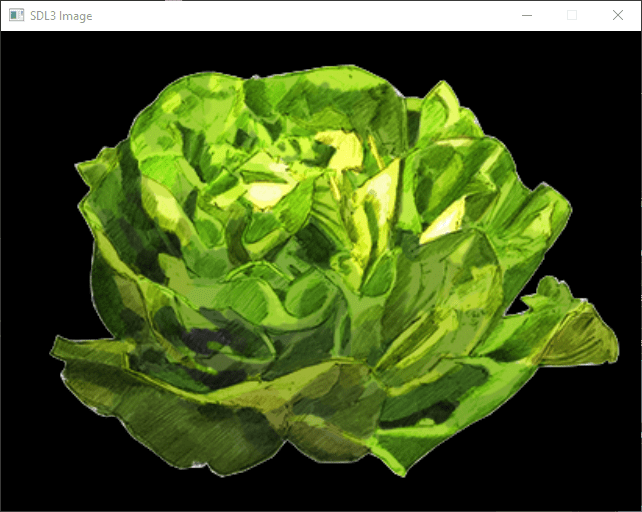
Beginner
How to Display an Image with SDL3
Learn how to display an image using SDL3 in this free tutorial. Perfect for beginners, this guide walks you through a simple SDL3 program.
Prerequisites / Tools :
- SDL3, SDL3_Image

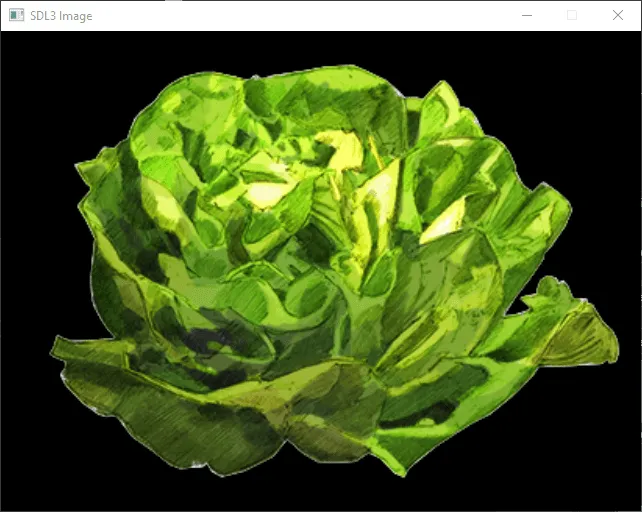
The image
Before trying to dplay an image you need to build SDL3 for that you can check the previous tutorial. After that you will need to have a bmp image to display for example this lettuce You can put this file in the same folder of your binary (ususally the build directory).

The CMakeList file
If you use cmake to build you project you can use this CMakeLists.txt :
cmake_minimum_required(VERSION 3.10)
project(SDL3Image)

set(CMAKE_CXX_STANDARD 11)
set(CMAKE_CXX_STANDARD_REQUIRED True)

find_package(SDL3 REQUIRED)
find_package(SDL3_image REQUIRED)

add_executable(${PROJECT_NAME} main.cpp)
target_link_libraries(${PROJECT_NAME} SDL3::SDL3)
The main file
The next thing to have is a simple program loading the texture as a surface and displaying it on the screen.
#include <SDL3/SDL.h>
#include <iostream>

int main(int argc, char* argv[]) {
    SDL_Init(SDL_INIT_VIDEO);

    SDL_Window* win = SDL_CreateWindow("SDL3 Image", 640, 480, 0);
    if (win == nullptr) {
        std::cerr << "SDL_CreateWindow Error: " << SDL_GetError() << std::endl;
        SDL_Quit();
        return 1;
    }

    SDL_Renderer* ren = SDL_CreateRenderer(win, NULL);
    if (ren == nullptr) {
        std::cerr << "SDL_CreateRenderer Error: " << SDL_GetError() << std::endl;
        SDL_DestroyWindow(win);
        SDL_Quit();
        return 1;
    }

    SDL_Surface* bmp = SDL_LoadBMP("lettuce.bmp");
    if (bmp == nullptr) {
        std::cerr << "SDL_LoadBMP Error: " << SDL_GetError() << std::endl;
        SDL_DestroyRenderer(ren);
        SDL_DestroyWindow(win);
        SDL_Quit();
        return 1;
    }

    SDL_Texture* tex = SDL_CreateTextureFromSurface(ren, bmp);
    SDL_DestroySurface(bmp);
    if (tex == nullptr) {
        std::cerr << "SDL_CreateTextureFromSurface Error: " << SDL_GetError() << std::endl;
        SDL_DestroyRenderer(ren);
        SDL_DestroyWindow(win);
        SDL_Quit();
        return 1;
    }

    SDL_Event e;
    bool quit = false;
    while (!quit) {
        while (SDL_PollEvent(&e)) {
            if (e.type == SDL_EVENT_QUIT) {
                quit = true;
            }
        }
        SDL_RenderClear(ren);
        SDL_RenderTexture(ren, tex, NULL, NULL);
        SDL_RenderPresent(ren);
    }

    SDL_DestroyTexture(tex);
    SDL_DestroyRenderer(ren);
    SDL_DestroyWindow(win);
    SDL_Quit();
    return 0;
}
The full project: How to Display an Image with SDL3
You can download the full project:
- SDL3_DisplayImage_win.7z
- SDL3_DisplayImage_mac.7z
- SDL3_DisplayImage_linux.7z