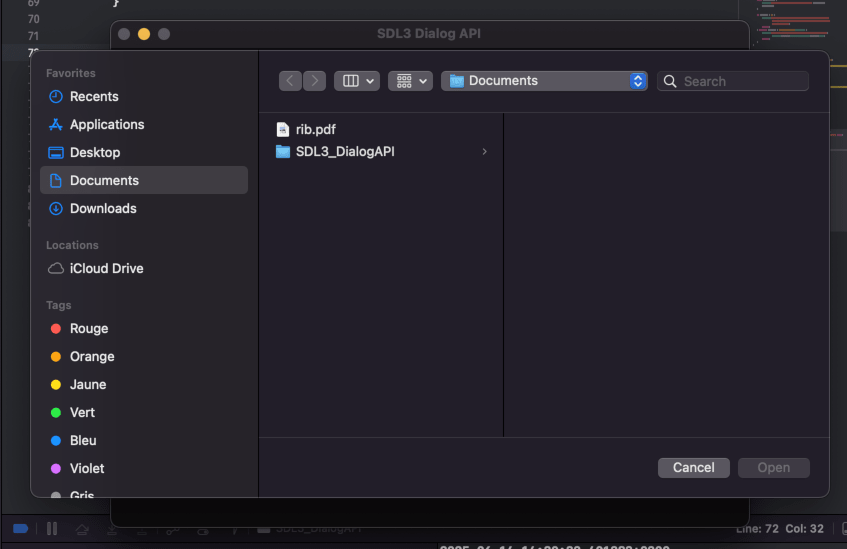
Use File Dialogs with the Dialog API
Discover how to use the Dialog API to open file dialogs, display save file dialogs, and select folders in this practical tutorial.
- SDL3

The List of function we will see in this tutorial are :
- SDL_ShowFileDialogWithProperties
- SDL_ShowOpenFileDialog
- SDL_ShowOpenFolderDialog
- SDL_ShowSaveFileDialog
Open file dialog with SDL_ShowOpenFileDialog
The definition for the function is SDL_ShowOpenFileDialog :
void SDL_ShowOpenFileDialog(
    SDL_DialogFileCallback callback, // A function pointer to be invoked when the user selects a file and accepts,
                                     // or cancels the dialog, or an error occurs.
    void *userdata, // An optional pointer to pass extra data to the callback when it will be invoked.
    SDL_Window *window, // The window that the dialog should be modal for, may be NULL.
    const SDL_DialogFileFilter *filters, // A list of filters, may be NULL. Not all platforms support this option,
                                         // and platforms that do support it may allow the user to ignore the filters.
                                         // If non-NULL, it must remain valid at least until the callback is invoked.
    int nfilters, // The number of filters. Ignored if filters is NULL.
    const char *default_location, // The default folder or file to start the dialog at, may be NULL.
    bool allow_many // If non-zero, the user will be allowed to select multiple entries.
);
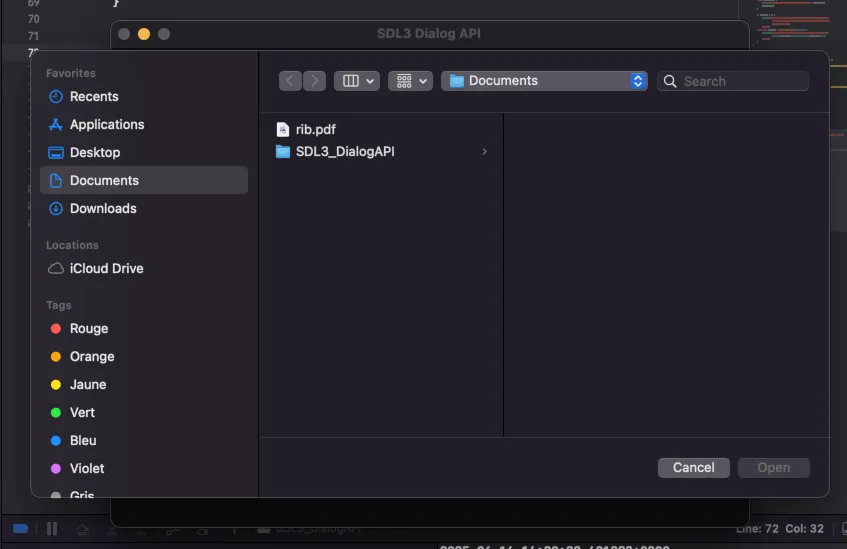
In this example we will open a file dialog when pressing a key. The file dialog should filter the images in the folder.
Before doing the example we need a CMakelist file :
cmake_minimum_required(VERSION 3.16)
project(SDL3_DialogAPI)

# Set C++ standard
set(CMAKE_CXX_STANDARD 14)
set(CMAKE_CXX_STANDARD_REQUIRED ON)

# Find SDL3
find_package(SDL3 REQUIRED)

# Add executable
add_executable(SDL3_DialogAPI main.cpp)

# Link SDL3
target_link_libraries(SDL3_DialogAPI PRIVATE SDL3::SDL3)
Before calling the file dialog function we need to set the callback function:
static const SDL_DialogFileFilter filters[] = {
    { "PNG images",  "png" },
    { "JPEG images", "jpg;jpeg" },
    { "All images",  "png;jpg;jpeg" },
    { "All files",   "*" }
};

static void SDLCALL callback(void* userdata, const char* const* filelist, int filter)
{
    if (!filelist) {
        SDL_Log("An error occured: %s", SDL_GetError());
        return;
    } else if (!*filelist) {
        SDL_Log("The user did not select any file.");
        SDL_Log("Most likely, the dialog was canceled.");
        return;
    }

    while (*filelist) {
        SDL_Log("Full path to selected file: '%s'", *filelist);
        filelist++;
    }

    if (filter < 0) {
        SDL_Log("The current platform does not support fetching "
                "the selected filter, or the user did not select"
                " any filter.");
        return;
    } else if (filter < SDL_arraysize(filters)) {
        SDL_Log("The filter selected by the user is '%s' (%s).",
                filters[filter].pattern, filters[filter].name);
        return;
    }
}
After that we can call the file dialog function SDL_ShowOpenFileDialog in the event loop :
SDL_Event e;
bool quit = false;
while (!quit) {
    while (SDL_PollEvent(&e)) {
        if (e.type == SDL_EVENT_QUIT) {
            quit = true;
        }
        if(e.type == SDL_EVENT_KEY_DOWN) {
            SDL_ShowOpenFileDialog(callback, NULL, win, filters, SDL_arraysize(filters), "/Users/vulcain/Documents/", true);
        }
    }
    SDL_RenderClear(ren);
    SDL_RenderPresent(ren);
}
Save file dialog with SDL_ShowSaveFileDialog
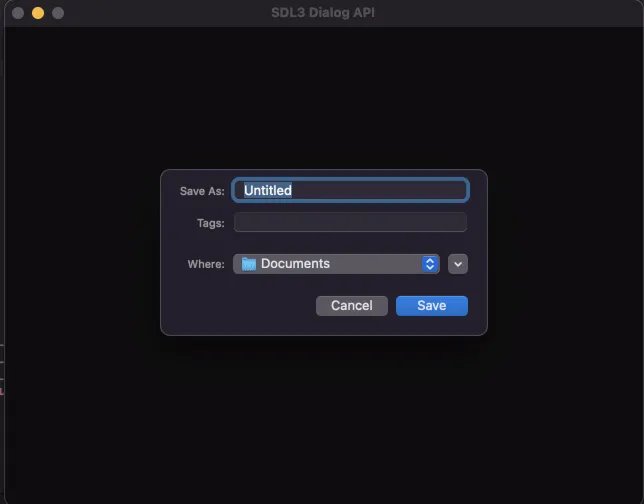
In this example the goal is to save a file and for that we need to use the function SDL_ShowSaveFileDialog :
void SDL_ShowSaveFileDialog(
    SDL_DialogFileCallback callback, // A function pointer to be invoked when the user selects a file and accepts,
                                     // or cancels the dialog, or an error occurs.
    void *userdata, // An optional pointer to pass extra data to the callback when it will be invoked.
    SDL_Window *window, // The window that the dialog should be modal for, may be NULL.
    const SDL_DialogFileFilter *filters, // A list of filters, may be NULL. Not all platforms support this option,
                                         // and platforms that do support it may allow the user to ignore the filters.
                                         // If non-NULL, it must remain valid at least until the callback is invoked.
    int nfilters, // The number of filters. Ignored if filters is NULL.
    const char *default_location // The default folder or file to start the dialog at, may be NULL.
);
For example you can call this function when pressing the s key :
if(e.type == SDL_EVENT_KEY_DOWN) {
    if(e.key.scancode == SDL_SCANCODE_S) {
        SDL_ShowSaveFileDialog(callback, NULL, win, filters, SDL_arraysize(filters), "/Users/vulcain/Documents/");
    }
}
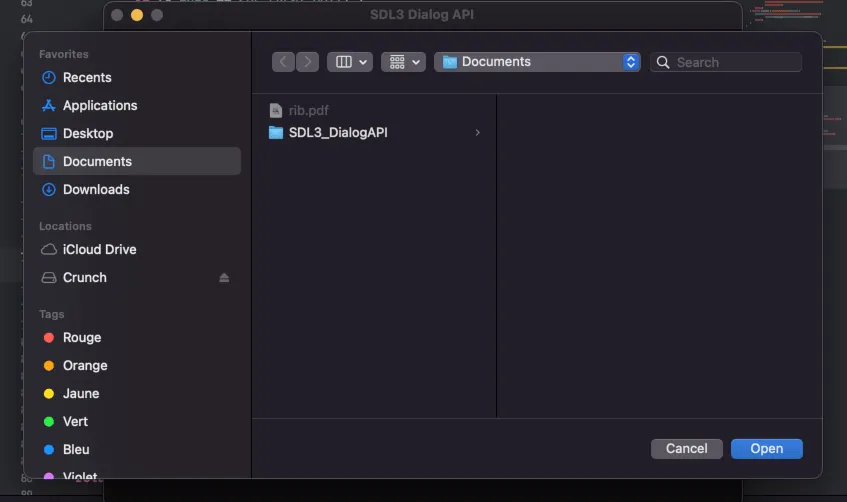
Open folder file dialog with SDL_ShowOpenFolderDialog
void SDL_ShowOpenFolderDialog(
    SDL_DialogFileCallback callback, // A function pointer to be invoked when the user selects a file and accepts,
                                     // or cancels the dialog, or an error occurs.
    void *userdata, // An optional pointer to pass extra data to the callback when it will be invoked.
    SDL_Window *window, // The window that the dialog should be modal for, may be NULL.
    const char *default_location, // The default folder or file to start the dialog at, may be NULL.
    bool allow_many // If non-zero, the user will be allowed to select multiple entries.
);
You can put the open folder file dialog on the f key:
if(e.key.scancode == SDL_SCANCODE_F) {
    SDL_ShowOpenFolderDialog(callback, NULL, win, "/Users/vulcain/Documents/",true);
}
Download the full project : Use file dialog with the Dialog API
- For macos: SDL3_DialogAPI_mac.7z
- For windows: SDL3_DialogAPI_win.7z
- For linux: SDL3_DialogAPI_linux.7z